
HOW WE DELIVER MANAGED IT
Know what we manage and what happens next.
See how we onboard your environment, respond to issues, and show you what was done. Choose fully managed IT or agree on which responsibilities we share with your team.
Talk through your IT needsFollow the work across the IQorix Platform.
See example views for support, site health, endpoint response, and technical documentation.
Explore the dashboard demosSTART WITH THE BASELINE
Agree on scope before rollout.
- Assess. Confirm users, devices, locations, Microsoft 365, backups, and current providers. Record urgent issues and what falls outside the agreement.
- Agree. Name who approves changes, set support hours and escalation contacts, and document access and deployment requirements.
- Pilot. Enroll a small approved group. Verify monitoring, ticket intake, remote access, and patching before rolling out to the rest of the agreed environment.
- Hand off. Give users support instructions and give the client an inventory baseline, open items, and next actions.
SERVICE DESK AND RMM
One record from the first alert to the fix.
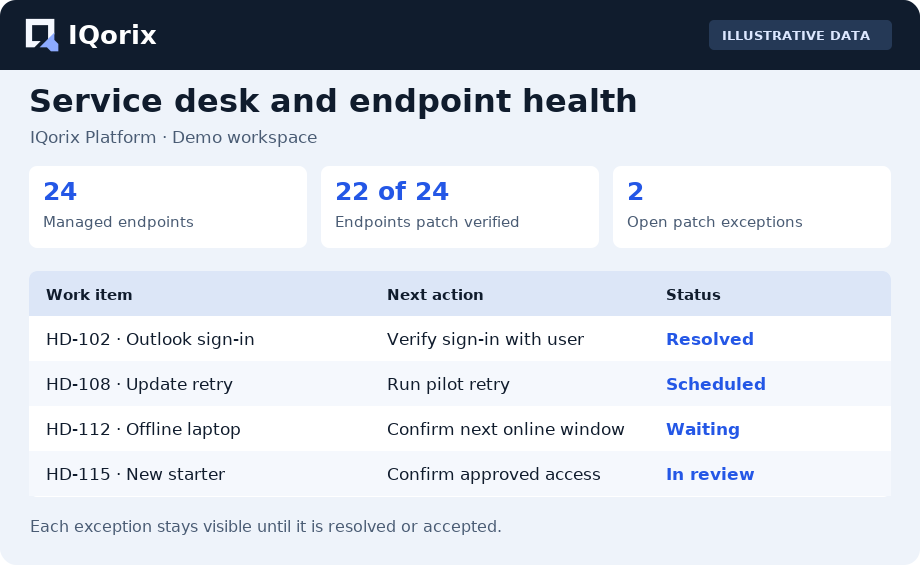
The IQorix Platform brings together the service desk and remote monitoring and management. We use it to triage support requests and actionable device alerts, check endpoint health, schedule approved patches, and run approved scripts or remote troubleshooting sessions. We record the outcome and keep unresolved exceptions visible.
MANAGED ENDPOINT SECURITY
Turn a security alert into an accountable response.
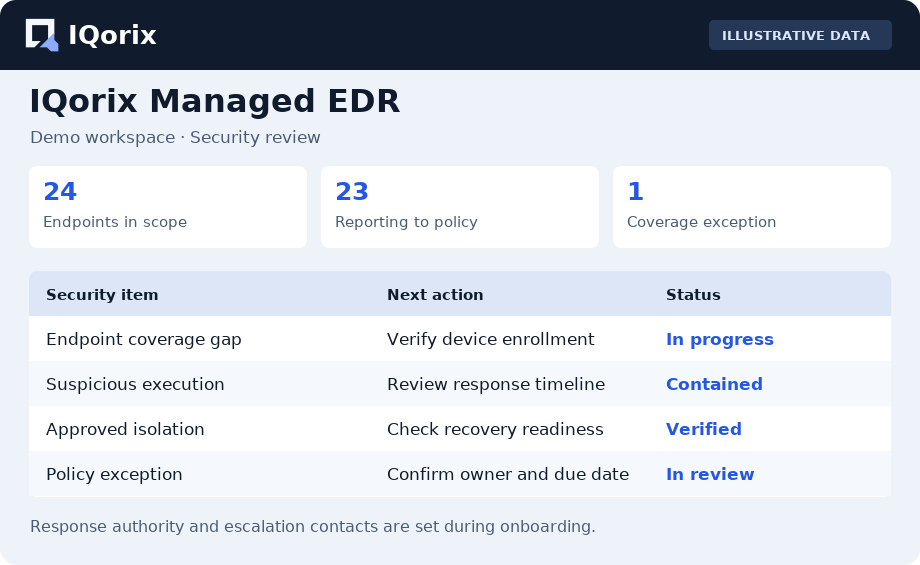
IQorix Managed EDR provides endpoint detection and response, with 24/7 security operations center coverage when included in your agreement. During onboarding, we review existing endpoint protection for compatibility and agree on what to manage. IQorix documents who receives alerts, who can authorize containment, and who coordinates recovery. We can arrange 24/7 support for the agreed systems or priorities. Your service agreement sets support hours, response targets, and escalation responsibilities.
NETWORK AND SITE MONITORING
Know which site or device needs attention.
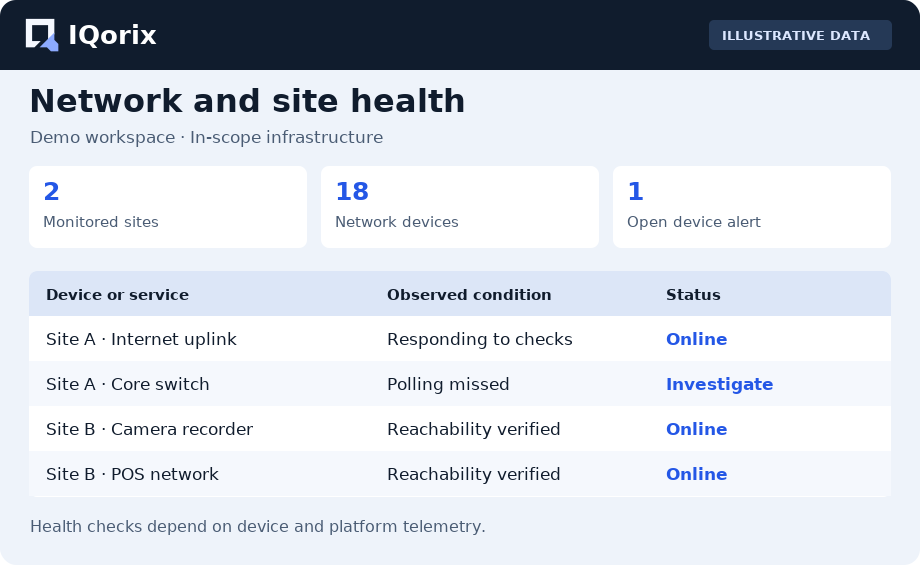
When network monitoring is included, the IQorix Platform discovers and monitors approved devices, reports availability, and flags supported conditions. We establish a device baseline, tune alerts, and identify whether IQorix, the ISP, or an equipment vendor owns the next action. For supported cameras and POS equipment, checks depend on the telemetry and access available.
CLIENT DOCUMENTATION
Make the environment easier to support and hand over.
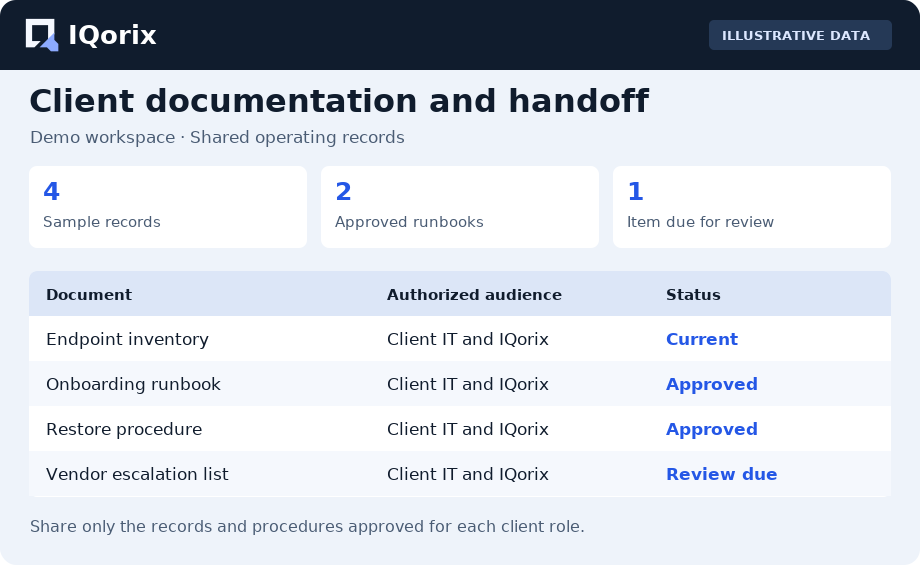
We maintain an agreed inventory, operating procedures, and escalation contacts. When shared documentation is in scope, the IQorix Platform gives authorized client users role-based access to approved records and runbooks. We review who can see each record and how documentation will be handed off.
REVIEW THE WORK
Know what is improving and what needs a decision.
At the agreed review cadence, we summarize ticket themes, device and patch health, open exceptions, and recommended next steps. Where backup and restore testing are included, we report the workloads checked, restore results, and follow-up actions.
For co-managed IT, we agree on who owns tickets, patch approval, tenant changes, security escalations, and vendor calls. If you need a starting point, a fixed-scope assessment can produce an inventory baseline and a prioritized plan.
Dashboard examples use sample data and show an IQorix reporting format. We agree on actual reporting, access, and tools as part of your scope.
MOBILE DEVICE MANAGEMENT
Protect work on phones and tablets.
We review how company-owned and personal iOS and Android devices access work email, files and apps. Depending on licensing, platform and policy, we can configure enrollment, screen locks, update requirements, work-app controls and sign-in rules.
For lost or departing devices, we agree on who can revoke sessions, remove work data or authorize a full wipe on eligible company-owned devices. We also plan how staff recover access if their primary authentication device is unavailable.